
How To Utilize Facebook Events For Your Auctions
Getting The Most Out Of Your Social Media Account
Auction companies often manage large inventories that change frequently.
Even auctioneers who specialize in one area still face challenges reaching the right buyers.
For companies that do not focus on a single category, the challenge is even greater.
Estate auctions, for example, can vary widely from sale to sale.
Facebook Events help separate auctions by interest. This makes it easier to reach the right audience for each sale.
Below are the steps to use Facebook Events effectively.
Step One: Analyze Your Auction Items
Start by reviewing the lots in your upcoming auction.
Some auctioneers will find this easy. Others may need more planning depending on inventory size and variety.
Group items based on relevance when possible.
Identify the most prominent categories in each auction.
For example, note if an estate sale includes a large amount of sports equipment.
This information will help with promotion later.
Step Two: Create A Facebook Event
Create your event using your business page.
If you do not have a business page, create one to support long-term growth and branding.
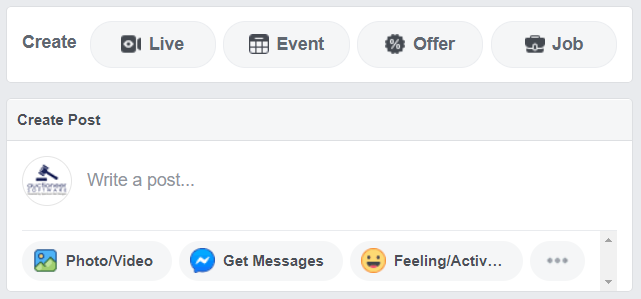
Click the “Event” button under your page header.
Fill in all required fields, including event name, location, category, and date.
Use a cover image that represents your auction items.
Include a link to your website or the auction listing in the event description.
Complete additional fields such as schedule, keywords, and ticket information.
Use relevant keywords to help people find your event.
Once complete, publish or schedule your event.
Step Three: Upload Quality Photos
Facebook Events allow one main image at creation.
After publishing, you can add more photos and videos in the discussion section.
Upload clear and accurate images of auction items.
Quality visuals help spark interest and increase engagement.
If your auction is online, include direct links to the lots when posting images.
This makes it easy for buyers to explore items right away.
Step Four: Share and Boost, or Advertise Your Event
Share your event on your business page to build organic reach.
Consider boosting the event or running paid ads.
Use the item categories identified in Step One to guide targeting.
Facebook ads allow you to target users by interests, behavior, and demographics.
For example, sports-related auctions can target sports enthusiasts.
Paid advertising helps you reach buyers most likely to engage.
You may also create multiple events for different item categories.
This allows for even more precise targeting, though it is optional.

Step Five: Record Your Results
Track engagement throughout the campaign.
Record the number of event responses and social media referrals.
Monitor website traffic coming from Facebook.
Review final auction results and bidder activity.
Tracking performance helps refine future event strategies.
Facebook events can be a powerful tool for auctioneers to reach out to the community, get their information in front of many people, and better the results of their auctions. We hope that you will explore the options of Facebook events for your upcoming auctions – if you need help in your auction marketing efforts, reach out to us today. We offer various marketing services for Auctioneers anywhere.